ERROR 41
ERROR 41 Load Cell Signal Instability
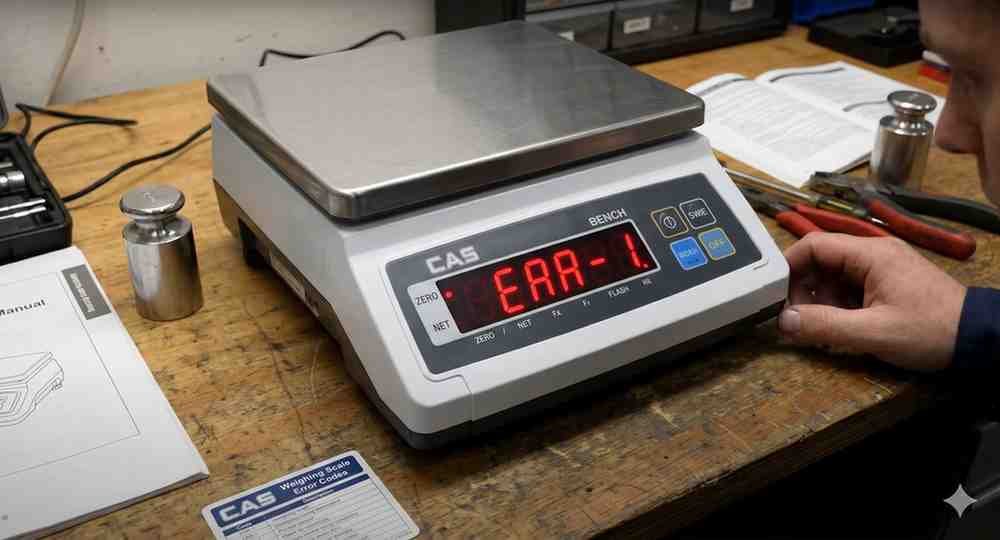
ERROR 41 indicates unstable load cell signal input.
Possible Causes:
• Damaged load cell
• Loose load cell cable
• Moisture inside junction box
• ADC circuit instability
• Improper grounding
Troubleshooting Steps:
1. Inspect load cell wiring.
2. Check excitation voltage.
3. Verify junction box connections.
4. Remove moisture or corrosion.
5. Replace defective load cell if required.
6. Restart the indicator and verify stable readings.
If the issue remains after inspection, professional service may be required.
Possible Causes:
• Damaged load cell
• Loose load cell cable
• Moisture inside junction box
• ADC circuit instability
• Improper grounding
Troubleshooting Steps:
1. Inspect load cell wiring.
2. Check excitation voltage.
3. Verify junction box connections.
4. Remove moisture or corrosion.
5. Replace defective load cell if required.
6. Restart the indicator and verify stable readings.
If the issue remains after inspection, professional service may be required.
Is your scale beyond repair?
Sometimes replacing an aging machine is more cost-effective than fixing it. Explore our wide range of new, high-precision weighing scales.
Related Error Codes
Related Calibration Guides