Physical Installation and Leveling Guide for Essae AX Series Balances
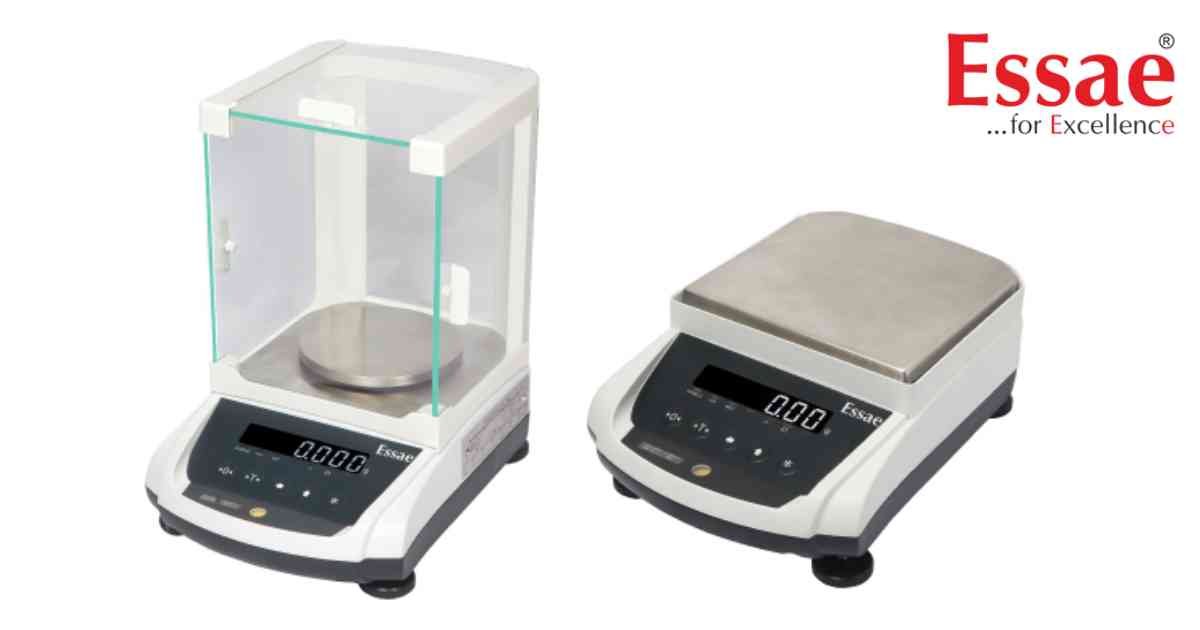
⚙️ Model Compatibility: This installation guide applies to all Essae AX Series precision balances (AX-220, AX-320, AX-620, AX-1200, AX-2200, AX-3200).
Proper installation is critical to protect the balance's high-precision Magnetic Force Restoration Technology (MFRT) sensor and ensure consistent readability.
1. Unpacking & Component Assembly:
- Open the packing box keeping track of fragile indicators.
- Remove the balance along with its protective left/right buffers, platter assembly, remote display assembly, and AC/DC adaptor.
- Open the side glass doors of the draft shield and position the stainless steel platter firmly onto the core platter supports.
2. Selecting the Optimal Laboratory Location:
- Place the instrument on a perfectly firm, solid, and sturdy surface.
- DO NOT install near vibrating, rotating, or reciprocating machinery.
- Avoid direct exposure to hot vents, air conditioners, strong magnetic fields, air currents, or direct sunlight.
3. Executing the Leveling Procedure:
- The balance must be precisely leveled every single time its location is shifted.
- Fully screw in both of the rear leveling feet on the back side of the scale.
- Watch the circular bubble level indicator located on the front left of the housing.
- Rotate and adjust the front leveling feet slowly until the air bubble sits exactly centered in the target inner circle.
4. Initial Power Connection & Warm-Up:
- Plug the 2-pin AC plug of the adaptor into your wall outlet.
- Connect the 3-pin socket end of the adaptor to the "DC IN" port on the back of the balance.
- CRUCIAL METROLOGY NOTE: Always allow the balance a full 20-minute warm-up period after powering on before performing any weighing or soft calibration routines.
Proper installation is critical to protect the balance's high-precision Magnetic Force Restoration Technology (MFRT) sensor and ensure consistent readability.
1. Unpacking & Component Assembly:
- Open the packing box keeping track of fragile indicators.
- Remove the balance along with its protective left/right buffers, platter assembly, remote display assembly, and AC/DC adaptor.
- Open the side glass doors of the draft shield and position the stainless steel platter firmly onto the core platter supports.
2. Selecting the Optimal Laboratory Location:
- Place the instrument on a perfectly firm, solid, and sturdy surface.
- DO NOT install near vibrating, rotating, or reciprocating machinery.
- Avoid direct exposure to hot vents, air conditioners, strong magnetic fields, air currents, or direct sunlight.
3. Executing the Leveling Procedure:
- The balance must be precisely leveled every single time its location is shifted.
- Fully screw in both of the rear leveling feet on the back side of the scale.
- Watch the circular bubble level indicator located on the front left of the housing.
- Rotate and adjust the front leveling feet slowly until the air bubble sits exactly centered in the target inner circle.
4. Initial Power Connection & Warm-Up:
- Plug the 2-pin AC plug of the adaptor into your wall outlet.
- Connect the 3-pin socket end of the adaptor to the "DC IN" port on the back of the balance.
- CRUCIAL METROLOGY NOTE: Always allow the balance a full 20-minute warm-up period after powering on before performing any weighing or soft calibration routines.
Looking for a new weighing machine?
Upgrade your operations with our latest high-precision scales. We offer a wide catalog of reliable and certified machines.
Related Calibration Guides
