How to Unlock and Calibrate Essae Tank Weighing Load Cells
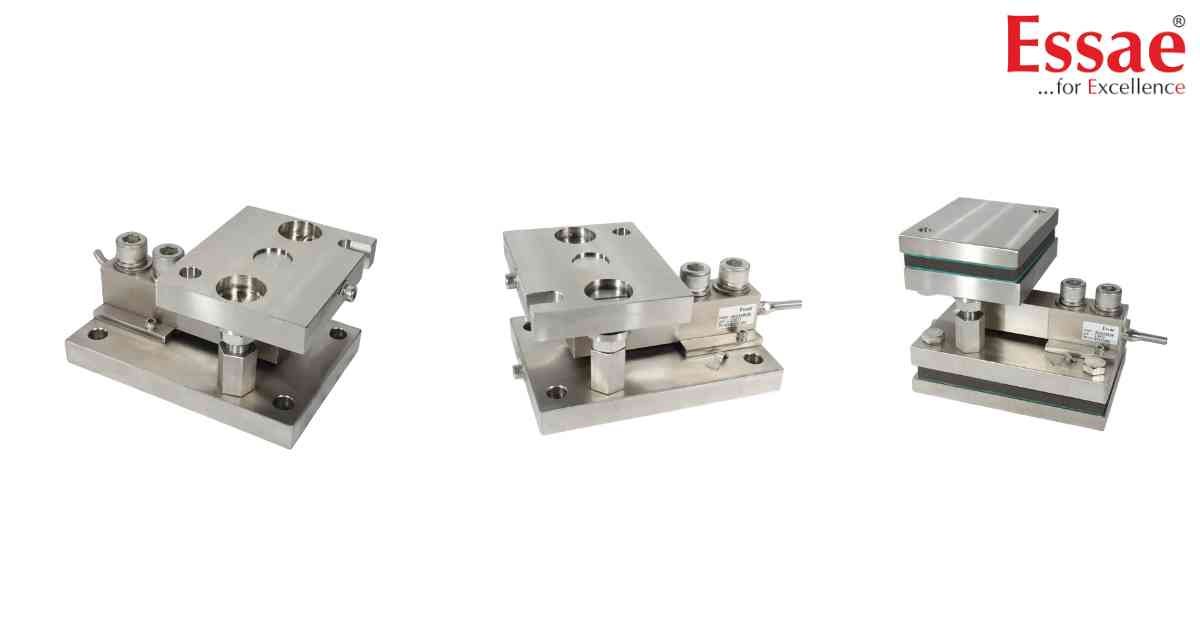
⚙️ Hardware Compatibility: Essae TWS Load Cell Kits (Up to 10t)[cite: 11].
When you receive a new Essae TWS kit, the internal jack bolt is in a locked condition[cite: 11]. There will be no gap between the Top Plate and the Washer[cite: 11]. **Do not loosen these lock nuts until the tank is fully positioned and fixed onto the load cell kit**[cite: 11].
Step-by-Step Unlocking & Calibration Sequence:
1. Connect the display indicator (e.g., SI-850 or DX-451) to the load cell kits through the junction box[cite: 11].
2. Slowly unlock the lock nuts on the jack bolt until the reading on the indicator becomes stable[cite: 11].
3. Tare the indicator reading to zero[cite: 11].
4. Fill the tank with a known quantity of your required liquid (This is Weight-A)[cite: 11].
5. Unlock the lock nuts further until the indicator reading is completely stable[cite: 11].
6. Place a standard physical test weight (Weight-B) onto an available space on the tank[cite: 11].
7. Wait for stability again, then calibrate the digital indicator to show the total combined weight of (A + B)[cite: 11].
8. Fill the tank completely until the indicator displays its full load capacity[cite: 11].
9. Allow the reading to stabilize one final time[cite: 11].
10. Finally, rotate the lock nuts in an anti-clockwise direction to create exactly a 2mm gap between the top pin and the hardware[cite: 11].
When you receive a new Essae TWS kit, the internal jack bolt is in a locked condition[cite: 11]. There will be no gap between the Top Plate and the Washer[cite: 11]. **Do not loosen these lock nuts until the tank is fully positioned and fixed onto the load cell kit**[cite: 11].
Step-by-Step Unlocking & Calibration Sequence:
1. Connect the display indicator (e.g., SI-850 or DX-451) to the load cell kits through the junction box[cite: 11].
2. Slowly unlock the lock nuts on the jack bolt until the reading on the indicator becomes stable[cite: 11].
3. Tare the indicator reading to zero[cite: 11].
4. Fill the tank with a known quantity of your required liquid (This is Weight-A)[cite: 11].
5. Unlock the lock nuts further until the indicator reading is completely stable[cite: 11].
6. Place a standard physical test weight (Weight-B) onto an available space on the tank[cite: 11].
7. Wait for stability again, then calibrate the digital indicator to show the total combined weight of (A + B)[cite: 11].
8. Fill the tank completely until the indicator displays its full load capacity[cite: 11].
9. Allow the reading to stabilize one final time[cite: 11].
10. Finally, rotate the lock nuts in an anti-clockwise direction to create exactly a 2mm gap between the top pin and the hardware[cite: 11].
Looking for a new weighing machine?
Upgrade your operations with our latest high-precision scales. We offer a wide catalog of reliable and certified machines.
Related Calibration Guides
