How to Program Receipt Printer Headers on Essae DS-215HD
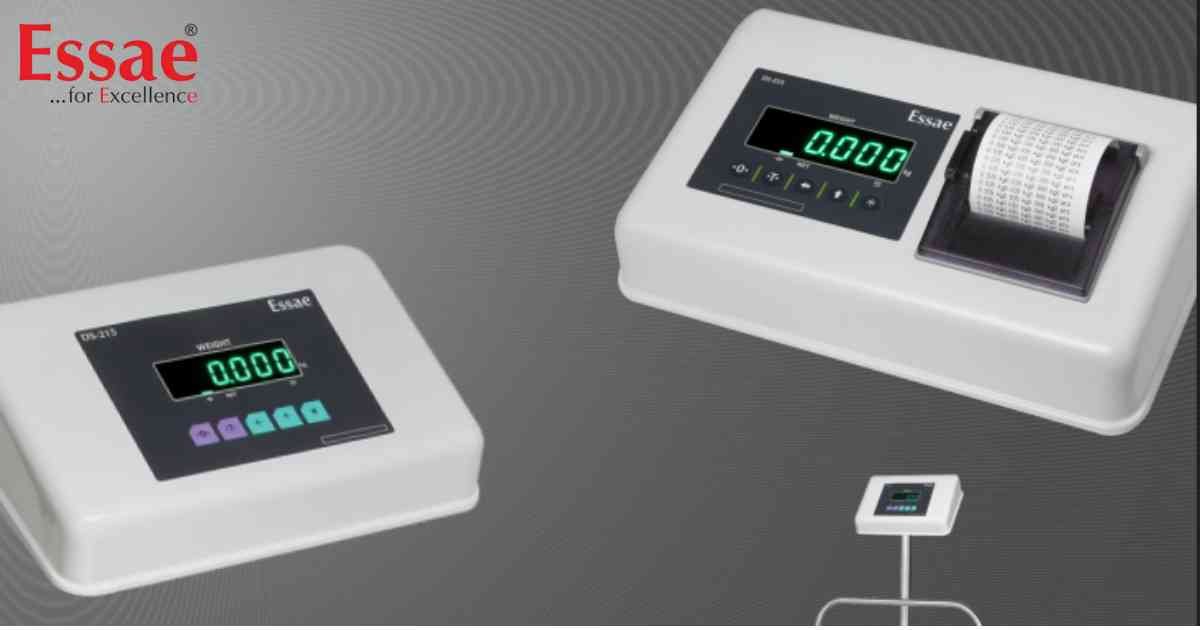
⚙️ Model Compatibility: Essae DS-215HD Printer Scale.
To customize the printed dispatch receipts with your Company Name, you must program the Header lines using internal ASCII decimal values.
How to Program Header 1:
1. From normal weighing mode, press the key sequence: [REZERO] + [←] + [*] + [←].
2. The display will toggle between "H1.00" (Header 1, Character 00) and the current ASCII decimal value (e.g., 066 for the letter 'B').
3. Use the [←] (Select) and [↑] (Increment) keys to enter the new 3-digit ASCII code for your desired letter. (For example, 'A' is 065, 'B' is 066, a Space is 032).
4. Press the [*] key to save that character and move to the next position (H1.01).
5. Repeat this process to spell out your company name. When finished, press the [T] (Tare) key to exit and save.
How to Program Header 2:
To program the second line of your receipt (e.g., City or Phone Number), use the key sequence: [REZERO] + [↑] + [*] + [↑]. Follow the same ASCII entry steps as above.
To customize the printed dispatch receipts with your Company Name, you must program the Header lines using internal ASCII decimal values.
How to Program Header 1:
1. From normal weighing mode, press the key sequence: [REZERO] + [←] + [*] + [←].
2. The display will toggle between "H1.00" (Header 1, Character 00) and the current ASCII decimal value (e.g., 066 for the letter 'B').
3. Use the [←] (Select) and [↑] (Increment) keys to enter the new 3-digit ASCII code for your desired letter. (For example, 'A' is 065, 'B' is 066, a Space is 032).
4. Press the [*] key to save that character and move to the next position (H1.01).
5. Repeat this process to spell out your company name. When finished, press the [T] (Tare) key to exit and save.
How to Program Header 2:
To program the second line of your receipt (e.g., City or Phone Number), use the key sequence: [REZERO] + [↑] + [*] + [↑]. Follow the same ASCII entry steps as above.
Looking for a new weighing machine?
Upgrade your operations with our latest high-precision scales. We offer a wide catalog of reliable and certified machines.
Related Calibration Guides
