How to Program Target Setpoint Alarms on Essae DC-85N
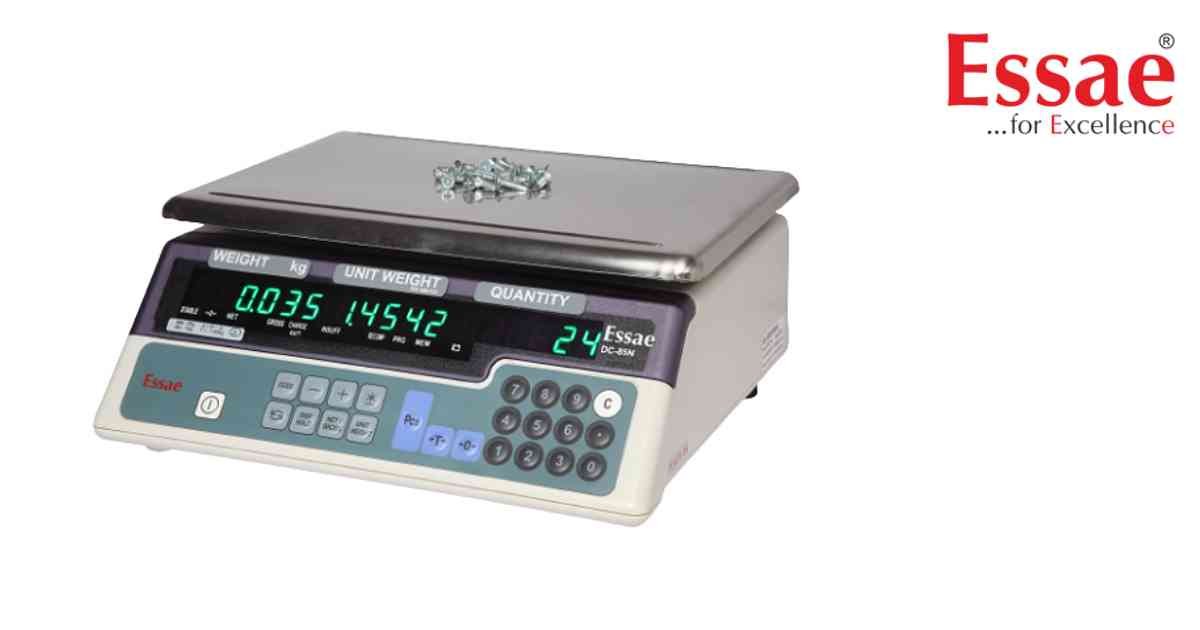
⚙️ Model Compatibility: Essae DC-85N & DC-851N.
Setpoint continuous alarm points can be configured to alert operators with a buzzer when a specific target quantity or weight is reached, making it perfect for rapid box-packing.
Step-by-Step Programming:
1. From the normal standby weighing mode, press the [Mode] key (the key with the two arrows forming a square). The display will show "ProG" and "C 00"[cite: 239, 272].
2. Press the [+] (Plus) key to enter Setpoint 1. The screen will display "SEt 1"[cite: 272].
3. Use the numeric keypad to enter your final target quantity (for example, type 1000). Press the [+] key to save[cite: 272].
4. The screen will now display "SEt 2". This is your pre-alarm percentage warning. Enter a value like 900 (for 90%) and press [+][cite: 272].
5. Press the [Mode] key again to exit programming and return to standard weighing mode[cite: 272].
Now, the scale will trigger an intermittent buzzer when you reach 900 pieces, and a continuous buzzer when you hit exactly 1000 pieces[cite: 261, 264]!
Setpoint continuous alarm points can be configured to alert operators with a buzzer when a specific target quantity or weight is reached, making it perfect for rapid box-packing.
Step-by-Step Programming:
1. From the normal standby weighing mode, press the [Mode] key (the key with the two arrows forming a square). The display will show "ProG" and "C 00"[cite: 239, 272].
2. Press the [+] (Plus) key to enter Setpoint 1. The screen will display "SEt 1"[cite: 272].
3. Use the numeric keypad to enter your final target quantity (for example, type 1000). Press the [+] key to save[cite: 272].
4. The screen will now display "SEt 2". This is your pre-alarm percentage warning. Enter a value like 900 (for 90%) and press [+][cite: 272].
5. Press the [Mode] key again to exit programming and return to standard weighing mode[cite: 272].
Now, the scale will trigger an intermittent buzzer when you reach 900 pieces, and a continuous buzzer when you hit exactly 1000 pieces[cite: 261, 264]!
Looking for a new weighing machine?
Upgrade your operations with our latest high-precision scales. We offer a wide catalog of reliable and certified machines.
Related Calibration Guides
