Essae DC-85N Piece Counting Calibration Guide
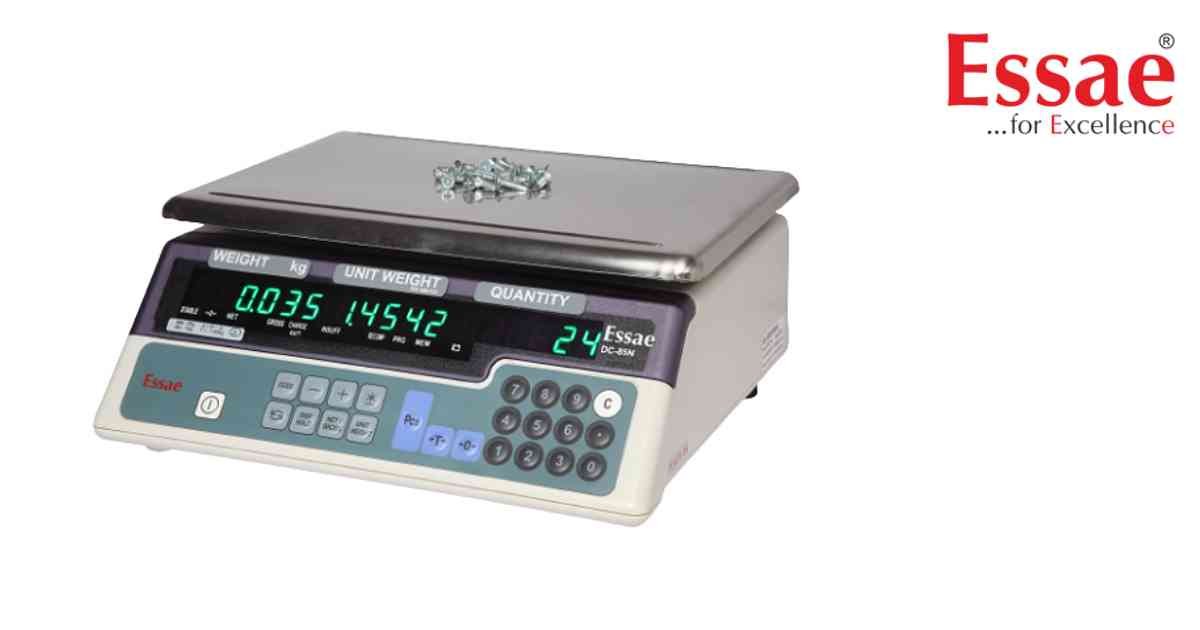
Piece Counting allows the scale to calculate quantities using unit weight.
Procedure
1.) Switch ON the scale.
2.) Place sample pieces.
3.) Press PIECES key.
4.) Enter sample quantity.
5.) Confirm calculation.
6.) Unit weight is stored.
7.) Add additional pieces.
8.) Quantity display updates automatically.
Applications
1.) Hardware stores.
2.) Electronic components.
3.) Fastener counting.
4.) Warehouse inventory.
Procedure
1.) Switch ON the scale.
2.) Place sample pieces.
3.) Press PIECES key.
4.) Enter sample quantity.
5.) Confirm calculation.
6.) Unit weight is stored.
7.) Add additional pieces.
8.) Quantity display updates automatically.
Applications
1.) Hardware stores.
2.) Electronic components.
3.) Fastener counting.
4.) Warehouse inventory.
Looking for a new weighing machine?
Upgrade your operations with our latest high-precision scales. We offer a wide catalog of reliable and certified machines.
Related Calibration Guides
