How to Access Customer Specification Programming on Essae DC-85N
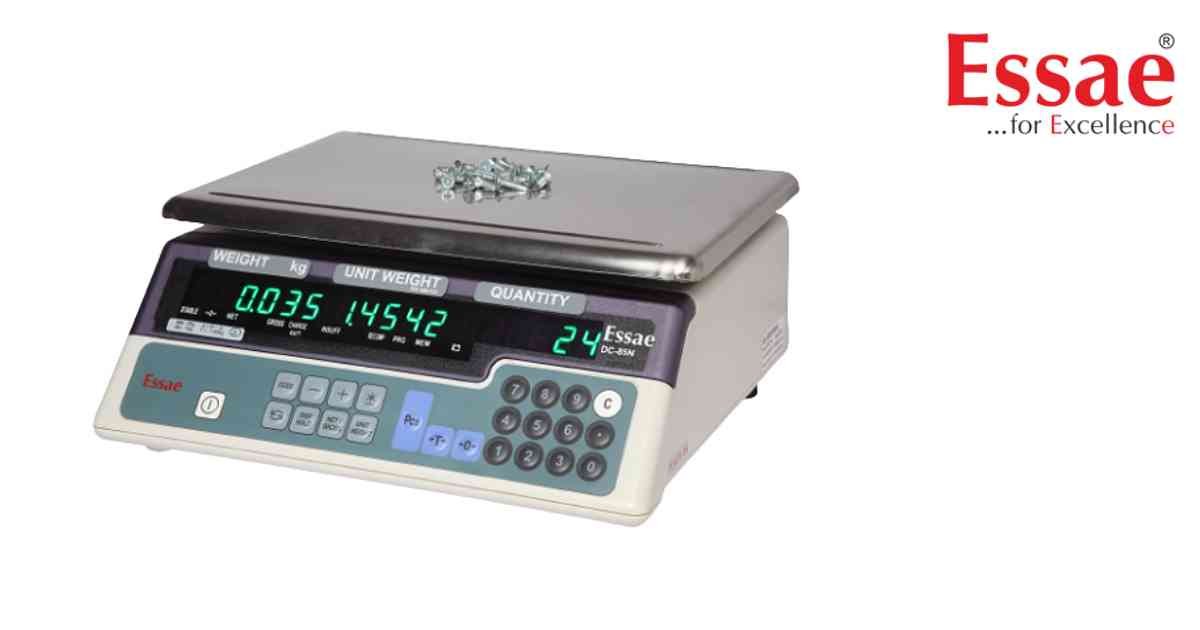
⚙️ Model Compatibility: Essae DC-85N & DC-851N.
To change deep system settings such as RS-232 Baud Rates, Sleep Modes, or Auto-Tare functions, you must access the hidden Customer Specification menu[cite: 331, 332, 334].
How to Enter Specification Mode:
1. Turn the scale ON.
2. Hold the [Rezero] key and press the numeric keys [1], [4], [1] in sequence[cite: 331].
3. The screen will display the first specification parameter (e.g., C10).
4. Use the [*] (Star / Plus) key to securely store your selection and advance to the next specification code[cite: 331].
Common Helpful Parameters:
- Spec C10: Controls RS-232 Baud Rate. Enter '4' for 9600 Baud, or '7' for 57600 Baud[cite: 332].
- Spec C20: Controls the ON/OFF Key Bypass. Set to '1' to bypass the power key[cite: 334].
- Spec C21: Setpoint Type. Enter '0' for Weight, or '1' for Quantity[cite: 334].
To change deep system settings such as RS-232 Baud Rates, Sleep Modes, or Auto-Tare functions, you must access the hidden Customer Specification menu[cite: 331, 332, 334].
How to Enter Specification Mode:
1. Turn the scale ON.
2. Hold the [Rezero] key and press the numeric keys [1], [4], [1] in sequence[cite: 331].
3. The screen will display the first specification parameter (e.g., C10).
4. Use the [*] (Star / Plus) key to securely store your selection and advance to the next specification code[cite: 331].
Common Helpful Parameters:
- Spec C10: Controls RS-232 Baud Rate. Enter '4' for 9600 Baud, or '7' for 57600 Baud[cite: 332].
- Spec C20: Controls the ON/OFF Key Bypass. Set to '1' to bypass the power key[cite: 334].
- Spec C21: Setpoint Type. Enter '0' for Weight, or '1' for Quantity[cite: 334].
Looking for a new weighing machine?
Upgrade your operations with our latest high-precision scales. We offer a wide catalog of reliable and certified machines.
Related Calibration Guides
