Essae AX Series Full Customer Specification Menu Programming Guide
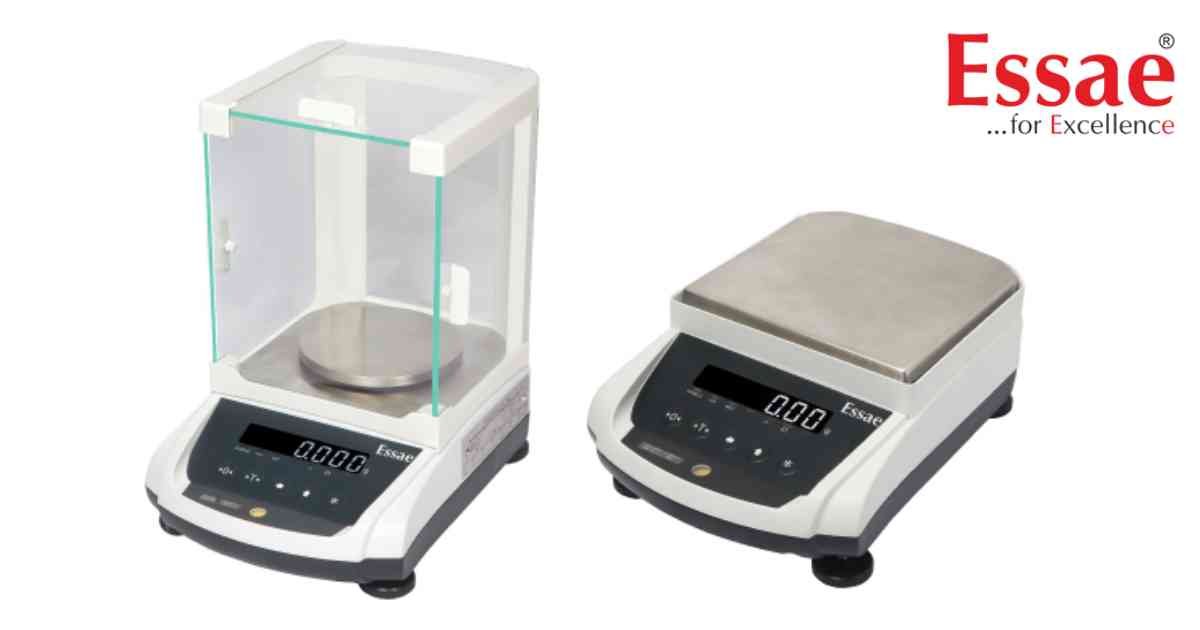
⚙️ Model Compatibility: Essae AX Series (AX-220, AX-320, AX-620, AX-1200, AX-2200, AX-3200).
This guide provides the full register details to program the RS-232 communication interfaces, print formats, and digital filter levels of your balance.
How to Enter the Programming Interface:
1. From standard weighing mode, execute the key sequence: [REZERO] + [←], [←], [←].
2. The LED display will begin flashing, toggling between the specific function address (e.g., C10) and its currently assigned numerical index value.
3. Tap [←] (Digit Select) to hop across values and [↑] (Digit Increment) to step up the numbers.
4. Press the [*] (Star) key to save your selection and advance to the next address register.
5. Press [T] (Tare) at any time to save all parameters and exit back to normal weighing mode.
Core System Parameters Quick-Reference Table:
- C10 (Baud Rate & Parity): Controls data link speed. Set LSD to 4 for 9600 baud. Set MSD to 1 for 8 Data Bits / No Parity.
- C11 (Data Transfer Mode): Set LSD to 1 for continuous Stream, 2 for Manual transmission via the [*] key, or 4 for Automatic stable weight transmission.
- C17 (Serial Print Format): Set LSD to 0 for standard 80-column printing, 1 for a detailed 40-column printout slip, or 2 for a clean Net-Weight-Only receipt format.
- C19 (Digital Filter Response): Set LSD to 1 for low environment filtering (fast response), up to 4 for very high filtering settings to combat severe vibrations and drafts.
- C30 (Weight Unload Enforcement): Set MSD to 1 to force the operator to fully unload the current container from the platter before allowing the system to execute a subsequent print transmission.
*Note: Any adjustments to the communication variables under parameter C10 will only take functional effect after the balance is powered entirely OFF and switched back ON.*
This guide provides the full register details to program the RS-232 communication interfaces, print formats, and digital filter levels of your balance.
How to Enter the Programming Interface:
1. From standard weighing mode, execute the key sequence: [REZERO] + [←], [←], [←].
2. The LED display will begin flashing, toggling between the specific function address (e.g., C10) and its currently assigned numerical index value.
3. Tap [←] (Digit Select) to hop across values and [↑] (Digit Increment) to step up the numbers.
4. Press the [*] (Star) key to save your selection and advance to the next address register.
5. Press [T] (Tare) at any time to save all parameters and exit back to normal weighing mode.
Core System Parameters Quick-Reference Table:
- C10 (Baud Rate & Parity): Controls data link speed. Set LSD to 4 for 9600 baud. Set MSD to 1 for 8 Data Bits / No Parity.
- C11 (Data Transfer Mode): Set LSD to 1 for continuous Stream, 2 for Manual transmission via the [*] key, or 4 for Automatic stable weight transmission.
- C17 (Serial Print Format): Set LSD to 0 for standard 80-column printing, 1 for a detailed 40-column printout slip, or 2 for a clean Net-Weight-Only receipt format.
- C19 (Digital Filter Response): Set LSD to 1 for low environment filtering (fast response), up to 4 for very high filtering settings to combat severe vibrations and drafts.
- C30 (Weight Unload Enforcement): Set MSD to 1 to force the operator to fully unload the current container from the platter before allowing the system to execute a subsequent print transmission.
*Note: Any adjustments to the communication variables under parameter C10 will only take functional effect after the balance is powered entirely OFF and switched back ON.*
Looking for a new weighing machine?
Upgrade your operations with our latest high-precision scales. We offer a wide catalog of reliable and certified machines.
Related Calibration Guides
