OVERLOAD
Over Capacity Error
Possible Causes
• Load exceeds maximum capacity
• Object stuck under pan
• Mechanical obstruction
Solutions
1. Remove load.
2. Inspect weighing pan.
3. Restart balance.
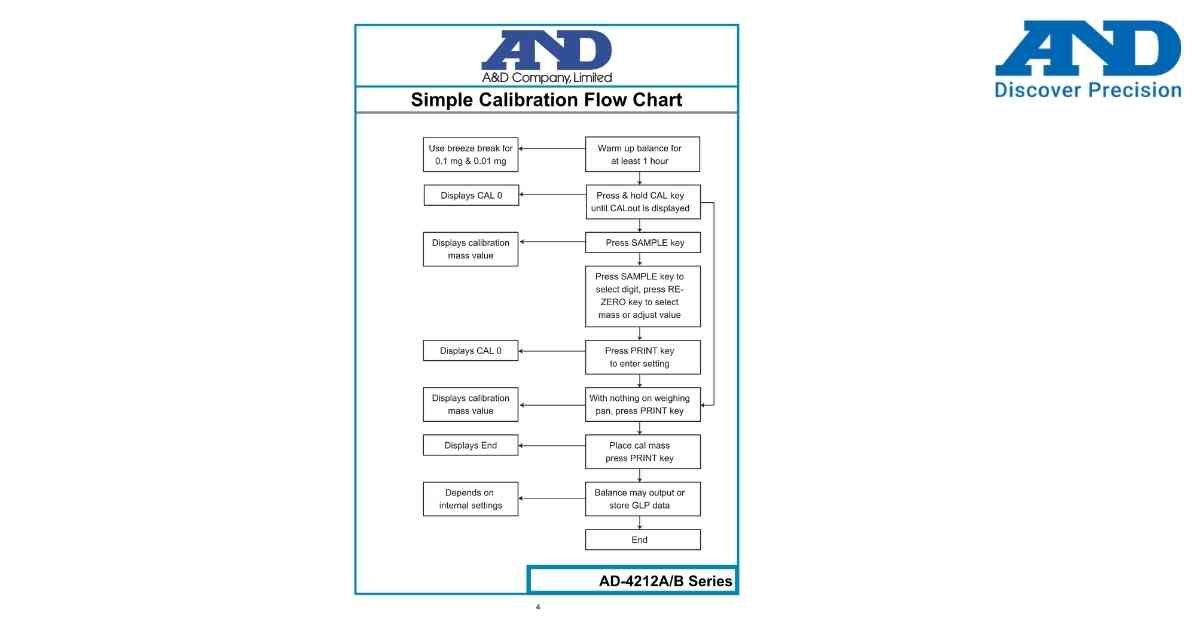
4. Perform calibration.
5. Contact service if required.
• Load exceeds maximum capacity
• Object stuck under pan
• Mechanical obstruction
Solutions
1. Remove load.
2. Inspect weighing pan.
3. Restart balance.
4. Perform calibration.
5. Contact service if required.
Is your scale beyond repair?
Sometimes replacing an aging machine is more cost-effective than fixing it. Explore our wide range of new, high-precision weighing scales.