Erratic Tank Weight
Erratic Weight Fluctuations - Mechanical Friction or Vibration
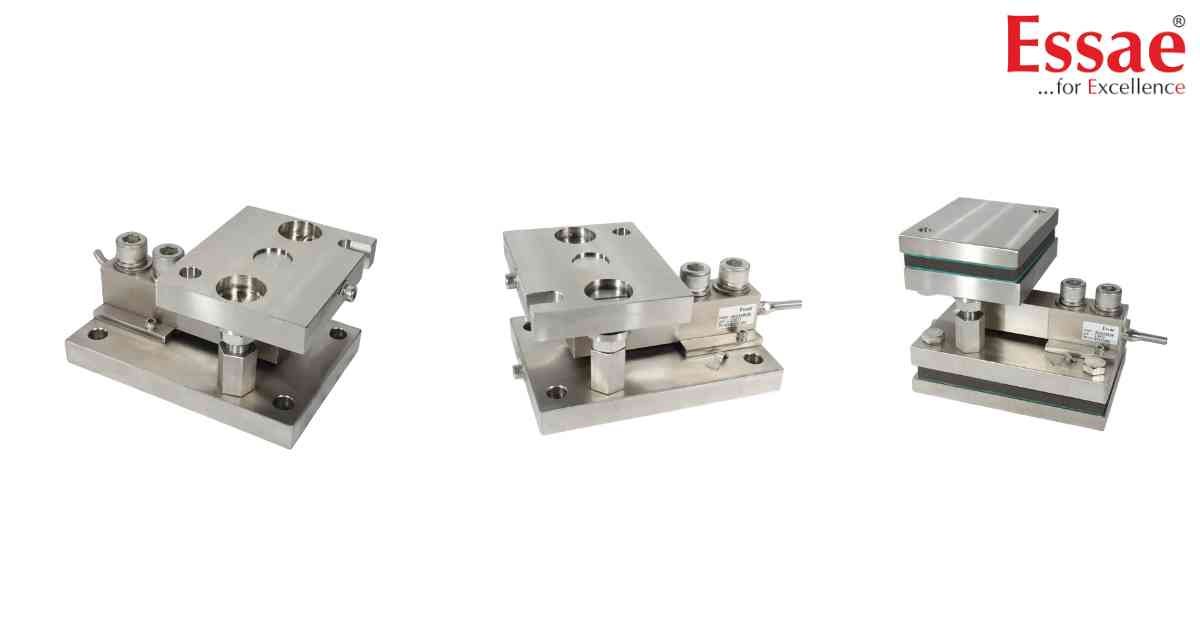
⚙️ Hardware Compatibility: Essae TWS Load Cell Kits (Up to 10t)[cite: 11].
If your digital indicator (like the DX-451 or SI-850) is displaying fluctuating or inaccurate weights, the tank is likely experiencing mechanical binding or external vibrations[cite: 11].
Immediate Troubleshooting Steps:
1. Check the Piping: All inlet and outlet pipes attached to the tank must use flexible hoses[cite: 11]. Never use rigid pipes, as they transfer weight away from the load cells and cause massive weighing errors[cite: 11].
2. Halt the Stirrer: If the tank uses an internal stirrer, it must be turned completely off[cite: 11]. Wait for the liquid to settle and take the weight reading only under stable conditions[cite: 11].
3. Install Anti-Vibration Pads: If the environment is prone to vibration, you must install anti-vibration pads between the tank leg and the top plate, as well as below the bottom plate[cite: 11]. Note: Adding these pads will increase the total height of the load cell kit by approximately 30mm[cite: 11].
4. Cable Routing: Ensure that the load cell cables are routed completely away from AC power lines to prevent electrical interference[cite: 11]. Never cross or route them alongside AC lines[cite: 11].
If your digital indicator (like the DX-451 or SI-850) is displaying fluctuating or inaccurate weights, the tank is likely experiencing mechanical binding or external vibrations[cite: 11].
Immediate Troubleshooting Steps:
1. Check the Piping: All inlet and outlet pipes attached to the tank must use flexible hoses[cite: 11]. Never use rigid pipes, as they transfer weight away from the load cells and cause massive weighing errors[cite: 11].
2. Halt the Stirrer: If the tank uses an internal stirrer, it must be turned completely off[cite: 11]. Wait for the liquid to settle and take the weight reading only under stable conditions[cite: 11].
3. Install Anti-Vibration Pads: If the environment is prone to vibration, you must install anti-vibration pads between the tank leg and the top plate, as well as below the bottom plate[cite: 11]. Note: Adding these pads will increase the total height of the load cell kit by approximately 30mm[cite: 11].
4. Cable Routing: Ensure that the load cell cables are routed completely away from AC power lines to prevent electrical interference[cite: 11]. Never cross or route them alongside AC lines[cite: 11].
Is your scale beyond repair?
Sometimes replacing an aging machine is more cost-effective than fixing it. Explore our wide range of new, high-precision weighing scales.
Related Error Codes
Related Calibration Guides
