Essae DC-85N Machine Not Switching ON
POWER ON FAILURE
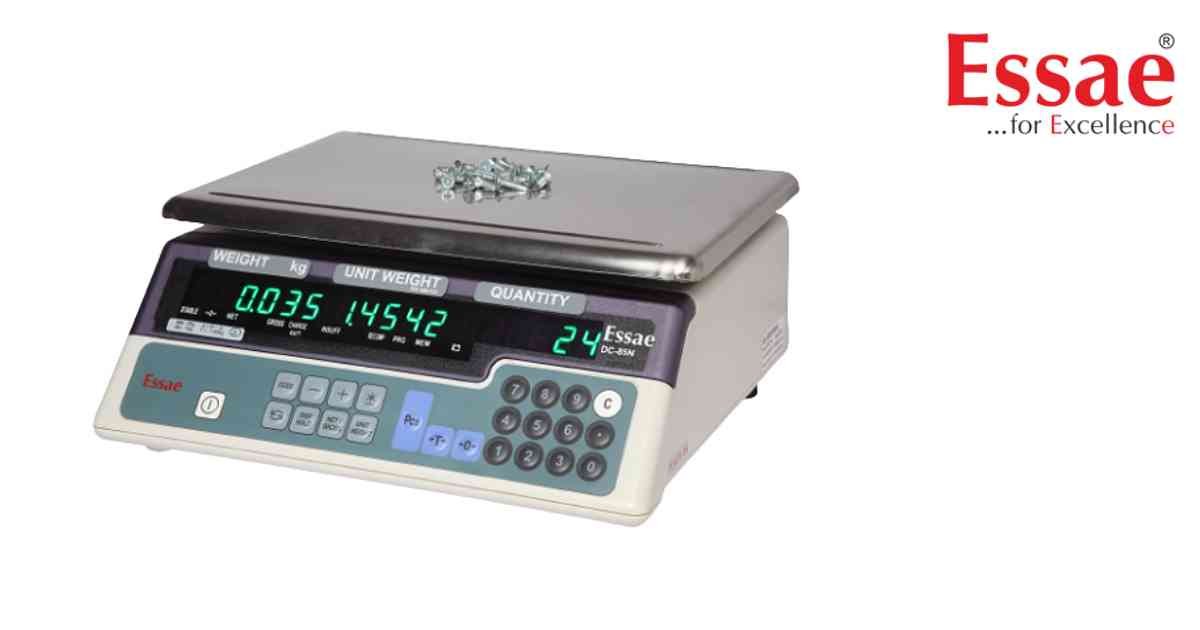
The DC-85N does not switch ON when the power key is pressed.
Possible Causes
1.) Battery completely discharged.
2.) AC adapter not connected.
3.) Power cable damaged.
4.) Internal fuse failure.
5.) Main board malfunction.
Troubleshooting Procedure
1.) Connect AC adapter.
2.) Verify power socket.
3.) Check charging indicator.
4.) Charge battery for at least 4 hours.
5.) Restart the scale.
6.) Test with another adapter if available.
7.) Contact authorized Essae service.
Prevention
1.) Charge battery regularly.
2.) Use original adapter.
3.) Protect power cable from damage.
Possible Causes
1.) Battery completely discharged.
2.) AC adapter not connected.
3.) Power cable damaged.
4.) Internal fuse failure.
5.) Main board malfunction.
Troubleshooting Procedure
1.) Connect AC adapter.
2.) Verify power socket.
3.) Check charging indicator.
4.) Charge battery for at least 4 hours.
5.) Restart the scale.
6.) Test with another adapter if available.
7.) Contact authorized Essae service.
Prevention
1.) Charge battery regularly.
2.) Use original adapter.
3.) Protect power cable from damage.
Is your scale beyond repair?
Sometimes replacing an aging machine is more cost-effective than fixing it. Explore our wide range of new, high-precision weighing scales.
Related Error Codes
Related Calibration Guides
